
Premium Interactive Tool$19.99 $9.99 Sale
Celebration Master Dashboard
Keep high-level budget, guest, vendor, task, payment and day-of planning status together.
✓ Secure checkout✓ Tutorial included
What you get
- Celebration Snapshot with celebration date, lead planner and high-level planning context
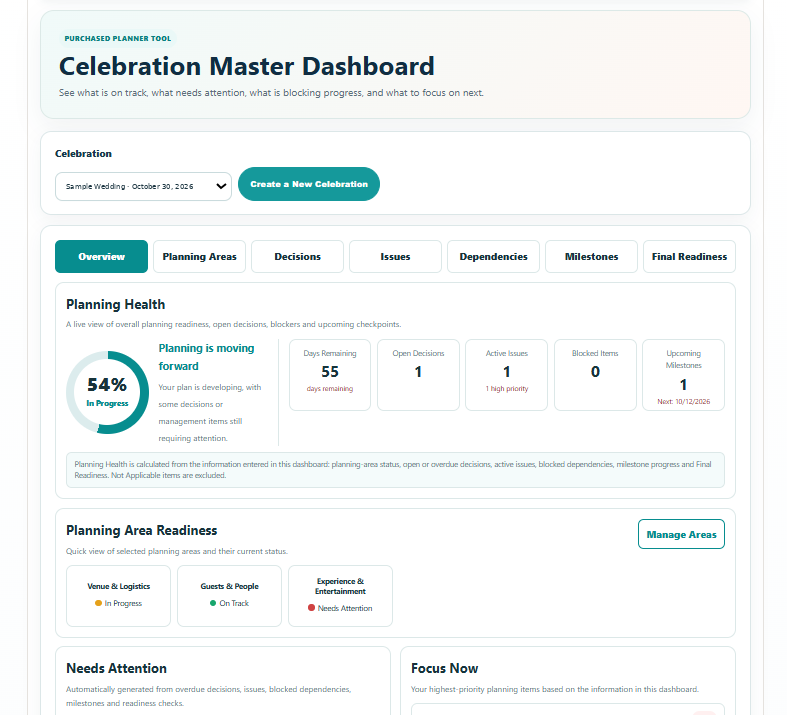
- Planning Health score based on the information entered in this dashboard, with days remaining, open decisions, active issues, blocked items and upcoming milestones
- Planning Areas with status, owner, target date, settled details, attention items and the next management move
- Decision Board with options, decision criteria, priority, owner, deadline, final choice and rationale
- Issues & Blockers register with severity, impact, resolution plan, status, owner and target resolution date
- Dependencies showing what an item is waiting on, what it blocks, its owner, needed-by date and status
- Milestones for major planning checkpoints, target dates, owners, progress and outcomes
- Automatic Needs Attention, Focus Now and Next Planning Checkpoint views based on the dashboard records
- Final Readiness checks with Confirmed, Needs Attention and Not Applicable choices
- Reusable planning areas and owners, with custom entries when needed
- Save Progress connected to the selected celebration
- Branded Print / Save PDF report with planning health, snapshot, readiness, attention items, decisions, issues, dependencies and milestones
Quick Tutorial
How it works
A practical step-by-step guide to using this tool.
- Select the celebration, or create one first. In Overview, edit Celebration Snapshot to establish the high-level context, lead and location; check the celebration date on the selected celebration record.
- In Planning Areas, add the major areas that apply to this celebration. Set status, owner and target date, then record what is settled, what needs attention and the next action for each area.
- In Decisions, add each unresolved choice with planning area, status, priority, owner and decision date. Record the options and criteria; when agreed, capture the final decision and rationale and mark it Decided.
- In Issues, record each active problem with area, severity, status, owner, target date and impact. Record the resolution and update the status when the issue has actually been resolved.
- In Dependencies, identify the item that is waiting, what it is waiting on and what needs it next. Assign an owner and needed date, and use the status to distinguish work that is blocked from work that has been resolved.
- In Milestones, add the important checkpoints with area, date, owner, status and expected outcome. Mark Complete only when the checkpoint is achieved, or Not Applicable if it no longer belongs in the plan.
- Return to Overview to review Planning Health, Planning Area Readiness, Needs Attention and Focus Now. These views reflect the entries you supplied; investigate the specific open decisions, issues and blockers behind the summary.
- Review Next Planning Checkpoint and use it to choose the next discussion or follow-up. Update the responsible area, decision, issue, dependency or milestone after that work is completed.
- Work through Final Readiness as the celebration approaches. Confirm the relevant readiness items, identify anything needing attention and mark items Not Applicable only when they do not apply.
- Click Save Progress after each review so the dashboard remains current for this celebration. Use it as a management summary and update the detailed specialist tools separately when their plans change.
- Use Print / Save PDF to share the current dashboard report with the family or planning lead. Review the outstanding decisions, owners, dependencies and checkpoints together, then save and issue an updated report after changes.